Warp Agent

Build, debug, and ship software faster with Warp's AI coding agent.

Free

For developers who want Warp’s modern terminal with the flexibility to use Warp’s AI or bring their own.

$0/month

Includes core terminal features

  • State-of-the-art modern terminal

Build

For developers who want flexible access to AI that scales with their usage

$18/month

Everything in Free, plus:

  • Extended cloud agents access
  • Highest codebase indexing limits
  • Unlimited Warp Drive objects and collaboration
  • Private email support

Max

For developers who need maximum AI capacity with all the flexibility of Build

$180/month

Everything in Build, plus:

Business

For teams scaling AI-powered development (up to 25 seats)

Pay as you go, starting at:

$45/user /month

Everything in Build, plus:

  • SAML-based SSO

Enterprise

For organizations needing advanced control, security, and scale

Custom

Everything in Business, plus:

  • Unlimited seats
  • Multi-admin support
  • Dedicated account manager and a shared Slack channel with your team
Compare pricing plans
Feature
Free$0/mo
Build$20/mo
Max$200/mo
Business$50/mo
EnterpriseCustom
Seats
10101025Unlimited
Agents
—$20$200$20 per seatCustom
With purchased usage or your own inferenceAll frontier + open-source modelsAll frontier + open-source modelsAll frontier + open-source modelsCustom
IncludedIncludedIncludedIncludedIncluded
Available at pay-as-you-go rates.IncludedIncludedIncludedCustom
—IncludedIncludedIncludedCustom
Individuals and orgs up to 10 peopleIndividuals and orgs up to 10 peopleIndividuals and orgs up to 10 peopleIncludedIncluded
————Included
————Included
100100100100Custom
2 vCPUs, 4 GB4 vCPUs, 8 GB4 vCPUs, 8 GB8 vCPUs, 16 GB8 vCPUs, 16 GB
————Included
————Research Preview
3404080Custom
3,000100,000100,000100,000Custom
IncludedIncludedIncludedIncludedIncluded
30 conversationsUnlimitedUnlimitedUnlimitedCustom
Terminal and Collaboration
10 workflows, 3 notebooksUnlimitedUnlimitedUnlimitedCustom
Up to 5 shared sessionsUnlimitedUnlimitedUnlimitedCustom
Admin and Security
IncludedIncludedIncludedIncludedIncluded
Individually configuredIndividually configuredIndividually configuredAdmin-configurableEnterprise data governance
———IncludedIncluded
Individual onlyTeam aggregateTeam aggregatePer-user and team aggregateAdvanced per-user + usage breakdowns
————Included
—Team-wide spend capTeam-wide spend capTeam-wide spend capTeam-wide and per-user spend limits
————Included
————Included
IncludedIncludedIncludedIncludedIncluded
————Included
IndividualIndividualIndividualIndividualTeam-configurable
Support
—IncludedIncludedIncludedIncluded
————Included
————Included
————Included
————Included
Free$0/mo
Free plan comparison
Seats
10
Agents
—
With purchased usage or your own inference
Included
Available at pay-as-you-go rates.
—
Individuals and orgs up to 10 people
—
—
100
2 vCPUs, 4 GB
—
—
3
3,000
Included
30 conversations
Terminal and Collaboration
10 workflows, 3 notebooks
Up to 5 shared sessions
Admin and Security
Included
Included
Individually configured
—
Individual only
—
—
—
—
Included
—
Individual
Support
—
—
—
—
—
Models

The best for the job

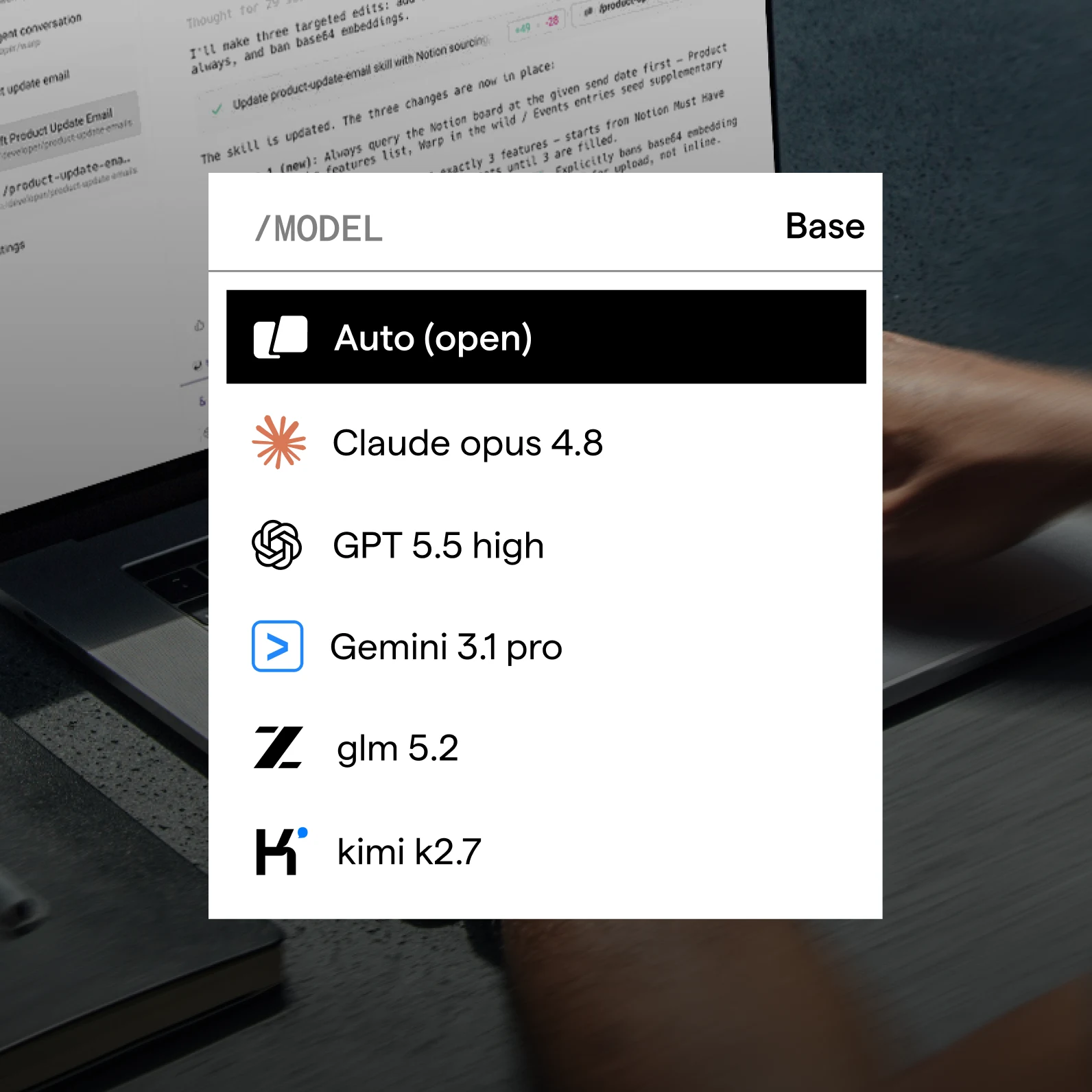
Access Fable 5, Claude Opus 5, GPT-5.6, Gemini 3.1 Pro, GLM 5.2, Kimi K3, and more. Pick the best model for the task. Run different tasks with different models in parallel, or switch between models for a given task, all without leaving your workflow.

Warp model picker listing Auto, Claude Opus, GPT, Gemini, GLM, and Kimi models
Integrations

Agents where you work

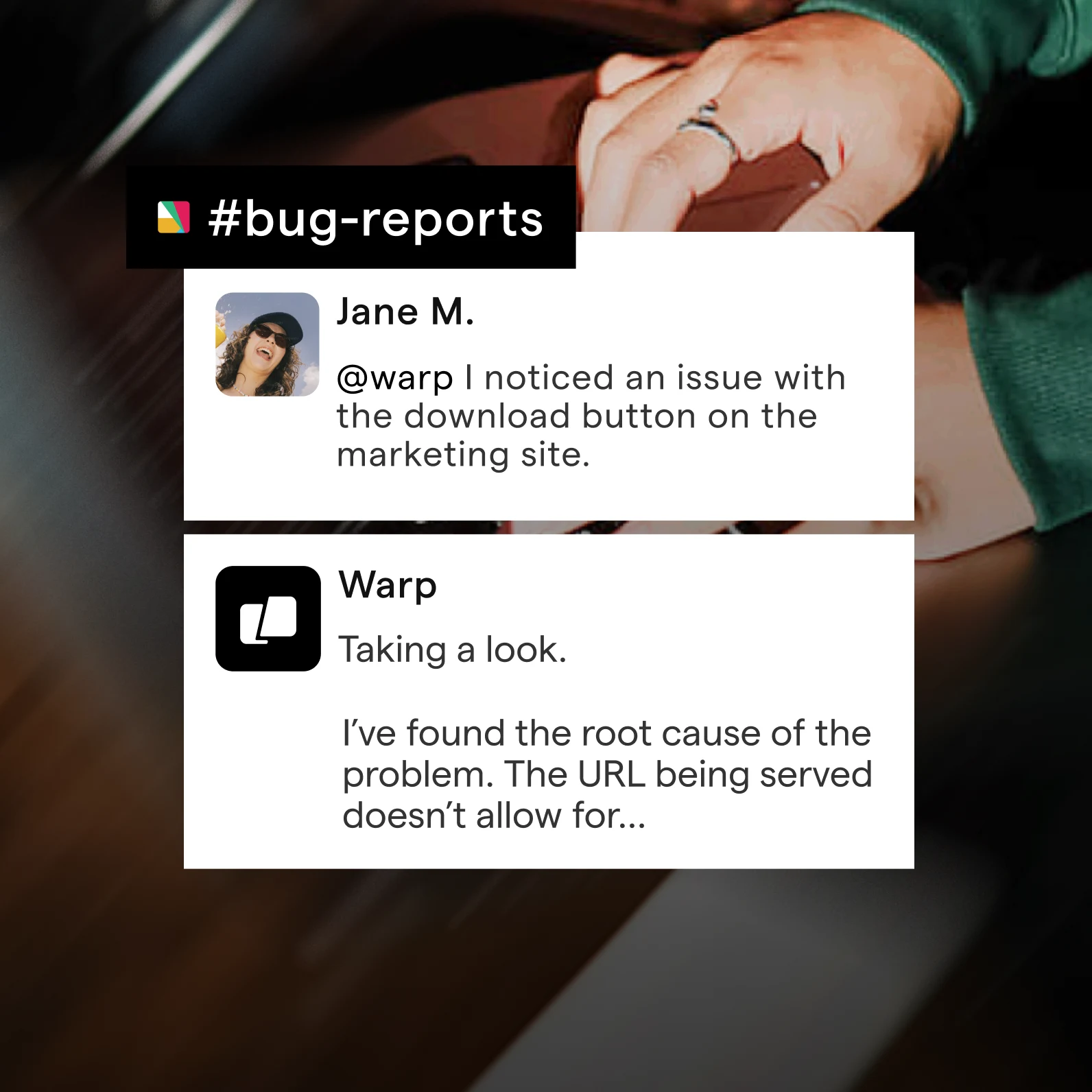
Connect Warp to Slack, Linear, and GitHub to get AI help right inside your tools. Mention @Warp to investigate bugs, suggest fixes, or open PRs, all without context-switching. With real-time session links and shared visibility, anyone can see, guide, or review what the agent is doing.

Slack thread where a teammate mentions @Warp to report a bug and Warp replies with the root cause
Your privacy and security

Transparency and control at every touchpoint.

  • Your data, secure and private

    Warp is SOC 2 compliant and has Zero Data Retention policies with all contracted LLM providers: no customer data is retained, stored, or used for training. App telemetry can be individually configured and automatically enforced for teams.

  • Complete control of your agents

    Control exactly how much autonomy agents have, from approving every step to allowing full autonomy. Configurable at the individual and enterprise level.

  • Full transparency

    You can read the list of high-level telemetry events sent for app analytics and monitor telemetry in real time with our native Network Log.

AICPA SOC 2 badge over a developer working at a laptop

Pricing FAQ

Warp shows agent usage in dollars. Build includes $20 of agent usage each month, Business includes $20 per seat each month, and Max includes $200 each month. These amounts cover usage in the Warp app, Warp Agent CLI, and Oz cloud agents.

The cost of an action depends on the model, the size of the task, the context and codebase involved, and whether the agent runs locally or in the cloud. Cloud and managed-agent runs can also include platform and compute costs.

Yes. The Warp Agent CLI is included with every Warp plan on macOS and Linux. Sign in with the same Warp account to use your plan, models, and synced conversations.

CLI requests draw on the same included or purchased agent usage as the Warp app. Free users can purchase additional usage or add an OpenAI, Anthropic, or Google API key or SuperGrok subscription with /api-keys. Warp's Auto models use Warp-provided inference.

The CLI footer shows total conversation usage. Run /cost to see the cost of each response.

Yes, Warp has obtained a SOC 2 Type II attestation from an accredited third party. Visit Warp's Trust Center to request the report.

Paid plans include frontier models from OpenAI, Anthropic, Google, and xAI, plus top open-source models like GLM 5.2, Kimi K3, and DeepSeek V4 hosted on Fireworks AI in the US. Model access is the same in the Warp app and the Warp Agent CLI.

You can pick a model per prompt, or let Warp's Auto routing choose for you — including an open-weights option that routes between the best open-source models for lower cost and faster speed.

On the Free plan, you can bring your own inference instead: use your own API keys, connect your SuperGrok subscription, or connect a custom OpenAI-compatible endpoint.

See the full list of supported models in our docs.

Yes. Warp supports several ways to use your own AI inference with Warp Agent:

  • API keys: Connect your own OpenAI, Anthropic, or Google API key.
  • SuperGrok subscription: Sign in with your xAI account to run Grok models through your existing SuperGrok subscription — no API key needed.
  • Custom inference endpoints: Connect an OpenAI-compatible provider or gateway, such as OpenRouter, LiteLLM, z.ai, or an internal gateway.
  • Inference in your cloud (BYOLLM): On Enterprise, run inference through models hosted in your own cloud, such as AWS Bedrock or Google Vertex AI.
  • Team-managed API keys and endpoints: On Enterprise, admins centrally configure API keys and endpoints for their team, including for cloud agents.

In the Warp Agent CLI, add API keys or a SuperGrok subscription with /api-keys. Custom inference endpoints are available only in the Warp app.

Self-serve API keys, SuperGrok subscriptions, and custom inference endpoints are available to individual users and organizations with 10 or fewer employees, subject to Warp's Terms of Service; larger organizations require a Warp Business or Enterprise plan. Contact us if you have questions about the right setup for your team.

With BYOLLM, admins configure inference centrally for the whole team and no API keys are stored. Inference runs and is billed in your cloud account, not through Warp. AWS Bedrock and Google Vertex AI are supported today, with Azure AI Foundry coming soon. Learn more about Bring Your Own LLM in our docs.

Warp's Zero Data Retention agreements apply to Warp-provided inference. When you bring your own inference, requests are sent directly to your provider under your own account and terms.

Bring Your Own API Key (BYOK) is set up by each user: add your own OpenAI, Anthropic, or Google API key (stored on your device) and Warp routes requests to the provider with your key. BYOK is available to individual users and organizations with 10 or fewer employees, subject to Warp's Terms of Service; larger organizations need a Business or Enterprise plan.

Bring Your Own LLM (BYOLLM) is an Enterprise feature that admins configure for the whole team: inference runs through models hosted in your own cloud account, such as AWS Bedrock or Google Vertex AI, with no stored API keys and costs billed to your cloud account.

Enterprise admins can also configure team-managed API keys and endpoints: shared provider keys and inference endpoints that work for the whole team, including cloud agents.

Contact us if you're not sure which setup fits your organization.

Yes. Warp has Zero Data Retention agreements with supported LLM providers, including Anthropic, OpenAI, Google, xAI, and Fireworks AI.

For supported models, these agreements prevent providers from training on customer-generated data processed through Warp, and require prompts and outputs to be deleted after the response is generated within a fixed period of time.

Zero Data Retention applies to Warp-provided inference only. If you use your own API key, SuperGrok subscription, custom endpoint, or LLM, requests are sent directly to your provider under your own account and terms.

Zero Data Retention (ZDR) can be enabled in two ways:

  • Individual level: Any user can enable full ZDR for their own account by disabling Help Improve Warp in Settings > Privacy.
  • Organization-wide: On the Business and Enterprise plans, admins can enforce ZDR for all members by default via the admin panel, ensuring team-wide compliance without relying on individual settings.

If you'd like to request organization-wide ZDR, please contact your Warp sales representative at sales@warp.dev or submit a request via our Contact Sales form.

Build is a good fit for individual developers or small teams that want flexible access to Warp AI. It includes $20 of usage at API rates each month, optional add-on usage, full Warp Agent access, and higher codebase indexing limits.

Max is best for heavy AI users who consistently need more capacity. It includes $200 of usage each month — 10× Build.

Business is best for teams that need SSO, team usage metrics, admin-configurable data controls, and centralized spend management. It supports up to 25 team members and includes $20 of usage per seat each month.

For larger organizations needing unlimited seats, advanced governance, custom usage terms, or self-hosted cloud agents, contact us about Enterprise.

You can subscribe to the Business plan directly from our upgrade page or via your in-app Settings > Billing & usage page.

For larger engineering organizations or companies that need advanced compliance, governance, custom usage terms, or dedicated support, Warp also offers an Enterprise plan with custom pricing and deployment options. To learn more, contact us at sales@warp.dev or submit a request.

Yes. Free, Build, Max, and Business users can purchase additional agent usage.

Add-on usage is shared across your team, rolls over month to month, and remains valid for 12 months. Paid-plan admins can set team spend caps and auto-reload. Build, Max, and Business also include monthly agent usage.

Included monthly usage resets every 30 days from your subscription or renewal date. You can view your remaining balance under Settings > Billing & usage.

If you run out before the next reset, you can purchase additional agent usage to keep using AI features without interruption. On eligible plans, admins can also configure auto-reload and team-wide spend caps.

Included monthly usage is assigned to each paid seat and resets every 30 days from the team's subscription or renewal date. Purchased add-on usage is pooled across the team: when any member purchases more, the whole team shares the balance.

Team admins can set a team-wide spend cap and choose whether members purchase add-on usage manually or use auto-reload. With auto-reload on, Warp purchases the selected add-on when the team's balance falls below the threshold, as long as the team remains under its spend cap.

At this time, Warp does not offer discounts for students, non-profits, or open-source teams. We recommend Warp's Free plan, which includes the core terminal features plus support for bringing your own AI inference.

Warp uses Stripe for payment processing and the only available payment method is by credit card.

Warp cannot currently accept payment by ACH, cash, check, money order, or cryptocurrency.

Have more questions?

Talk to our team about which plan is right for you.